
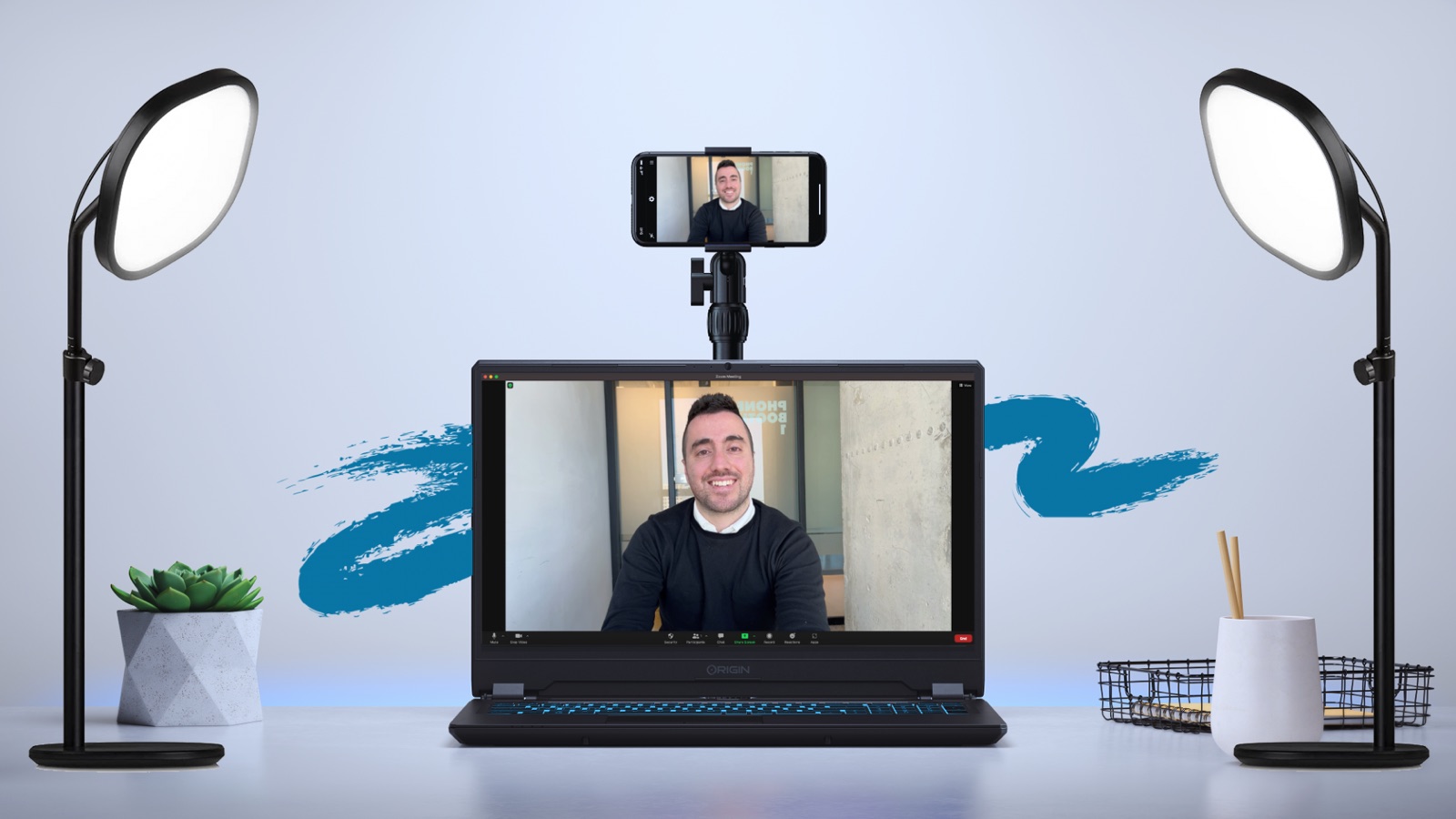
Want to give better online presentations? check out these 10 sales tips! (video)
- Author
- Effy Shkuri
- Published on:
- Published in:
- Presenting

Presenting Online with Teams, Zoom, or Meet
Online presentation tools are placing increasing demands on salespeople. This makes finding the right approach a real challenge, since every tool offers hundreds of options. In this blog, we’ll help you with 10 highly specific online presentation tips to improve your online performance in no time—and the first tip always makes all the difference, whether you’re giving an in-person presentation or the ultimate online presentation.
Start with the other
When giving an online presentation, it’s crucial to grab your audience’s attention right away. The most effective way to do this is to immediately showcase your in-depth knowledge of them.
So, from the very first moment, show that you’ve done your homework perfectly. Share your insights about your audience to set the tone, set yourself apart from the crowd, and avoid common pitfalls.
Are you guys ready? Let's get started.
Embedded video
This video is hosted by another company. As soon as it loads, that company sees your IP address and sets its own cookies.
When giving an online presentation, an attentive listener is often worth their weight in gold compared to a smooth talker.
Show your audience that you're genuinely interested by doing thorough preparation and demonstrating a clear commitment to their needs.
A successful online presentation is a dialogue, not a monologue. Research by Gong shows that the most effective speakers in B2B sales conversations maintain a talk-to-listen ratio of approximately 43:57.
Finally, here’s an essential tip for online presentations: if you find yourself getting distracted too often by your own video feed, choose to hide your video in Teams or Zoom. This helps you keep your focus on what’s happening outside the screen, where it belongs.
Table of Contents
1# – The Power of the Cell Phone
2# – Show Yourself More Often
3# – Making Eye Contact Through the Camera
4# – Online Presentation Background
5# – Better Sound
6# – The Right Lighting
7# – An Active Posture
8# – Facial Expressions
9# – Using Hand Gestures
10# – Virtual Camera
Online Presentations in 1970
More than half a century ago, on July 1, 1970, the very first online presentation took place, conducted by the mayor of Pittsburgh and the CEO of Alcoa, made possible by the innovative technology of the American company AT&T. At the time, the fascination lay entirely in the technical possibilities of this new form of communication.
In today’s world, video conferences via platforms such as Zoom, Microsoft Teams, or Google Meet have become commonplace. The measure of success has now shifted to the skills of those who facilitate and lead online presentations—a shift that is entirely justified given the importance of effective digital communication.
#1 – The Power of the Cell Phone
Use the camera on your iPhone or Android device for 1080p and high-resolution quality.
You can use this as a virtual camera on platforms such as Zoom, Google Meet, Microsoft Teams, and Mmhmm.
What are some technical presentation tips?
- Mini tripod or another mount
- Camo app on your phone
- Cable from phone to PC/Mac
That’s it.
Super simple.
If you can't figure it out, let me know
#2 – Show yourself more often
What presenters often forget is that, when presenting online, they become a small square or circle somewhere in the corner of the computer screen.
There is no eye contact, and trust is not built because the view is one-sided.
To avoid this, my advice is not to show your PowerPoint or pitch presentation continuously.
Are you done presenting a slide? Or do you want to make a point? If so, pause the presentation for a moment and show yourself in full screen.
Your audience will be less distracted and will be able to see you better.
In addition, switching between views also increases attention span.
Less static. And more often surprising.
#3 – Look at the camera
Most people look at the other person's photo or video. They might glance at the camera now and then and think that's enough.
It might feel like eye contact to you, but it isn't.
To make eye contact during virtual meetings, there’s no getting around it: you have to look at the camera.
It is vitally important that we learn to look at the camera and carry on a conversation with just as much focus, passion, and intention as if our listener were sitting right in front of us.
Eye contact conveys trust and will strengthen the personal connection.
A quick tip for people who find this difficult:
You could place the other person's screen right next to the webcam.
This way, you're not looking directly into the camera, but it does bring you a lot closer.
#4 – Online Presentation Background
A boring white wall as a background?
Would you like to share less personal information?
In that case, choose a virtual background.
Here are a few tips for online presentations:
- Higher-quality cameras result in a better virtual background. (See Tip #1)
- Do not wear clothing that is the same color as the virtual background.
- Blurred backgrounds draw attention to you and look more natural.
#5 – Better Sound
One of the most important factors in online presentations is the audio.
Poor lighting or angles can be overlooked, but poor audio will cost you a lot of points.
Testing your audio is essential for every presentation. Sometimes it works, and sometimes it doesn't.
My best purchase in recent years has been an Elgato Wave:3.
Here's an extra tip for when you're working from home:
Check out Krisp.ai —it filters out background noise.
#6 – The Right Lighting
Lighting sets the mood and tone, and you want to be sure you have the right setting to convey your message.
Natural light is the favorite.
The only downside is that you're at the mercy of the weather and the time of day, but don't jump to conclusions.
You don't need sunlight to have light—start your workday facing east if possible—the light is great, even when the sun isn't shining.
P.S. My advice is to definitely add some extra lamps to your desk so that the light shines directly on your face.
#7 – An Active Approach
Most online presentation tips are directly related to digital media. This online tip helps you feel more like you're giving an in-person presentation by adopting an active posture.
Your posture has a big impact on what you say. If you're slumped on a couch while talking, it affects your tone of voice.
When you lean back or cross your arms in front of the camera, you’re closing yourself off—nothing new, but subconsciously, it’s easier not to do it.
Digital sales require salespeople to be consciously proactive, and sitting down doesn't always encourage this.
Improve your proactive attitude and increase your interaction by using a stand to hold your laptop. This will allow you to move more freely during your meeting.
Your body language will change, and you’ll be more active, which will have the side effect of changing your prospect’s attitude as well—in a positive way, of course.
#8 – The Right Facial Expressions
Our faces are expressive and can convey many emotions without words.
Your facial expressions complement all the information you convey.
And unlike some other forms of nonverbal communication, facial expressions are the same everywhere.
Main facial expression: smiling.
When you smile, you're more attractive.
Period.
#9 – Use hand gestures
Using hand gestures during online presentations adds more energy to your spoken words.
It increases the impact and authority of your spoken words by 60%.
Make sure to move your hands at the right moment and avoid holding them too close to the camera, but at the same time, don’t let them go out of frame—that’s the power of nonverbal communication!
#10 – Visual Camera
A visual camera, such as the one in the Mmhmm app, introduces a revolutionary way to enhance the dynamics of online presentations.
Available for integration with popular video conferencing platforms such as Zoom, Google Meet, and Microsoft Teams, Mmhmm offers users the ability to use a virtual camera that transforms the way images and slides are presented.
By blending different images in real time, it creates a more interactive experience for each slide that is displayed.
What stands out about Mmhmm—also known as Jumjum in the Netherlands, according to a valued customer—is the speed and ease with which new visual content can be created, making it a fascinating tool.
Salespeople who use Mmhmm can, if the tool is used effectively, expect a very positive response from their audience—sometimes even a standing ovation.
Embedded video
This video is hosted by another company. As soon as it loads, that company sees your IP address and sets its own cookies.
Mirroring
A basic rule in sales is that your nonverbal behavior should mirror that of the person you’re talking to to some extent. It builds trust, but how does “mirroring” actually work in a digital setting?
The principles are the same, but the execution is more complex because your camera settings determine the result.
Online Presentation Slide #1
In the presentation below, I have my arms crossed, but you can't see that. Mirroring has no effect in that moment. Furthermore, from a psychological standpoint, it's important that the person you're talking to can see your hands
Online Presentation Slide #2
In this presentation frame, my hands are clearly visible, and my nonverbal behavior is also evident. It conveys more confidence. Sitting up straight also makes quite a difference, don't you think?
Instead of explaining everything live, you could also show videos during the presentation.
This could be a video of yourself, of someone else in the company, or other video marketing material.
Video makes online presentations easier because:
– You don't have to do as much prep work.
– There's less room for error.
– You can focus on their reactions
We use Pitch.com for this and embed our videos in slides. It’s also helpful to record the entire presentation and send it out later in its entirety so that other invitees who couldn’t attend can still watch the whole thing. It’s not so much about the content as it is about the context.
Another option is to create a Q&A by recording short video clips of questions asked by the participants, so you can address any concerns they may have.
See below for a more detailed explanation of asynchronous presentations. In this example, the use of a personal video is primarily intended to allow you to “challenge”—for example, the terms of an RFP—in an elegant way.
Embedded video
This video is hosted by another company. As soon as it loads, that company sees your IP address and sets its own cookies.
Tips for the best online presentation:
In a world where our screens have become the windows to professional connections, the art of online presenting has taken center stage. A powerful online presentation has the potential to leave a lasting impression, motivate your audience to take action, and steer them toward desired behavior. However, it requires more than just conveying the content; it’s about creating an experience that sticks with them.
When putting together an online presentation, you’re not just standing in front of a camera—you’re building a connection with each individual listener. Your words and visuals should not only be informative, but also inspiring and interactive. From the introduction to the powerful conclusion, every aspect of your presentation must be tailored to the digital environment, where every slide and every second counts.
What makes your online presentation effective?
- Something he'll never forget.
- It inspires people to take action.
- Consciously avoids certain things.
What are some important questions?
- How do you introduce yourself to an unfamiliar audience?
- How much text do you use on your slides? Does it support your story, or are you just reading it aloud?
- What interactive questions do you ask your audience? Actively engage them in your presentation.
- Always keep the "one" principle in mind: one key message, one image per slide.
- Make sure you can tell a story within the context of your presentation to make it more impactful.
- What's the most important thing your audience needs to remember in order to give you a glowing review or referral?
What should you watch out for?
You might assume that giving an online presentation is a piece of cake, especially if you’re a natural speaker. However, many disappointments during online presentations stem from seemingly minor mistakes—an overlooked checkbox, a spotty connection, or unexpected technical glitches with the camera or audio.
— If you're a natural with video, take the next step and record your videos to reach a wider audience.
Be a pro
Prepare yourself for unexpected bumps in the road by creating a structured checklist that you consistently go through before stepping into the digital spotlight.
What’s more, routine is the key to mastery. Make sure you’re completely familiar with every aspect of your presentation toolkit—from simply operating your equipment to navigating your presentation smoothly and using body language naturally—your path to an engaging dialogue with your camera.
Good preparation is half the battle. Be sure to check out our digital sales training to improve your online presentation and effectiveness.
Conclusion: Online presentations are 50% preparation
The success of an online presentation depends on more than just the content you present. It’s about the entire experience you create for your audience, from the very first moment of interaction to your closing remarks. By incorporating interactive elements, a clear and engaging structure, and thorough technical preparation, you can deliver a presentation that is not only informative but also inspiring and memorable.
Remember that every presentation is an opportunity to showcase your expertise and make a strong impression. Take the time to prepare—both in terms of content and technical aspects—and be ready to adapt flexibly to your audience’s needs. With the right approach, you can ensure that your online presentation not only effectively conveys your message but also leaves a lasting impact on your audience. Make sure you always end with a powerful and clear call to action, so your audience knows exactly what the next steps are and how they can stay in touch with you.
Whether you're presenting at an internal meeting, giving a client pitch, or speaking to a large audience, these tips and strategies will help you be well-prepared to convey your message clearly and persuasively. Good luck with your next online presentation!
Most Frequently Asked Questions
How can I keep my audience's attention during an online presentation?
To keep your audience engaged during an online presentation, there are several strategies you can use. Here are a few tips:
- Start with a Strong Opening: Grab your audience's attention right from the start. Use an interesting anecdote, a surprising fact, a powerful quote, or a relevant question to spark their interest.
- Use Visual Aids: Make your slides visually appealing and avoid overloading them with text. Use images, charts, and videos to support your points and maintain visual interest.
- Interacting with Your Audience: Use polls, Q&A sessions, and interactive tools to engage your audience. This keeps everyone active and encourages participation.
- Tell a Story: People love stories. Structure your presentation around a narrative framework to make it more engaging and memorable.
- Avoid Monotony: Vary the speakers or topics if your presentation is long. This can help prevent a monotonous delivery and keep the audience engaged.
- Clear and Concise Content: Make sure your message is clear and to the point. Long, complicated explanations can lead to a loss of interest.
- Use of Humor: When appropriate, a little humor can lighten the mood and hold the audience's attention.
- Pauses and Pace: Use pauses to emphasize key points and give your audience time to process the information.
- Ask for Feedback: Encourage the audience to ask questions and share their thoughts throughout the presentation, not just at the end.
- End on a High Note: End your presentation with a strong conclusion or a call to action that encourages the audience to reflect or take action.
By using these techniques, you can ensure that your online presentations are lively, interactive, and engaging, keeping your audience engaged from start to finish.
What are the best tools to use for an interactive online presentation?
If you’re already familiar with the basic features of popular video conferencing platforms like Zoom, Microsoft Teams, and Google Meet, then you know that these platforms are excellent for giving standard presentations. However, if you want to increase the interaction and dynamism of your online presentations, you might want to consider using specialized tools designed to engage your audience more actively. Here are five other tools you can use for this purpose:
- Pitch.com: Wat het biedt: Pitch.com is een samenwerkingsplatform voor moderne presentaties, met mogelijkheden voor het delen van interactieve polls en het real-time samenwerken aan presentaties. Wanneer te gebruiken: Ideaal voor teams die hun ideeën willen bundelen en snel willen itereren binnen een enkele, visueel aantrekkelijke presentatie-omgeving.
- mmhmm: Wat het biedt: Met mmhmm kun je een levendige, boeiende ervaring creëren door jezelf als een dynamische overlay over je content te presenteren, wat de aandacht van je publiek helpt vast te houden. Wanneer te gebruiken: Geschikt voor sprekers die hun presentaties willen verrijken met visuele storytelling en een virtuele ervaring die verder gaat dan standaard slideshows.
- Slido: Wat het biedt: Slido integreert naadloos met platformen zoals Zoom en Teams om Q&A’s, live polls en quizzes toe te voegen, waardoor het publiek op een gestructureerde manier kan deelnemen. Wanneer te gebruiken: Perfect voor sessies waar je actieve deelname van het publiek wilt en feedback in real-time belangrijk is.
- Mentimeter: Wat het biedt: Mentimeter maakt presentaties interactief met real-time voting, word clouds, en andere leuke functies die alle deelnemers kunnen gebruiken. Wanneer te gebruiken: Ideaal voor educatieve en workshop-achtige omgevingen waarbij het verzamelen van instant publieksinzichten essentieel is.
- Kahoot!: Wat het biedt: Kahoot! transformeert presentaties in spelletjes door middel van educatieve quizzes die het publiek kan spelen, waardoor een competitief element wordt toegevoegd aan de leerervaring. Wanneer te gebruiken: Uitstekend voor sessies die een luchtige, speelse benadering vereisen en waarbij je het publiek wilt motiveren om actief te blijven en plezier te hebben.
By adding these tools to your presentation arsenal, you can ensure that your online presentations are not only informative, but also interactive and memorable.
What is the biggest mistake to make during an online presentation?
1 sentence: The presenter did not test the minor changes in design and technology. Always test.
How can I increase engagement?
Interacting with the audience is crucial for holding their attention and delivering an impactful online presentation. Here are some effective ways to do this:
- Interactive Polls and Surveys: Use tools such as Slido or Mentimeter to incorporate live polls, surveys, or quizzes. This can help you gather real-time feedback and actively engage the audience.
- Q&A Sessions: Set aside time for a question-and-answer segment. Encourage participants to submit questions during the presentation, which you can answer at the end.
- Chat Feature: Use the chat feature to post comments and ask questions. Respond to the chat in real time whenever possible to keep the conversation going.
- Breakout Rooms: Platforms such as Zoom offer “breakout rooms” where smaller groups can discuss and exchange ideas before returning to the main session.
- Hands-On Activities: Design activities that require participants to get involved, such as worksheets they must complete during the presentation or assignments they must carry out in real time.
- Anecdotes and Stories: Use personal stories or relevant anecdotes that spark reflection and encourage participants to share their own experiences.
- Gamification: Use gamification elements such as Kahoot! to introduce a playful competition that can boost energy and enthusiasm.
- Visual Tools: Use tools like mmhmm to create dynamic presentations with overlapping video and interesting visual effects.
- Direct Calls to Action: Ask the audience to take immediate action during the presentation, such as visiting a website, signing up for a newsletter, or participating in a poll.
By using these techniques, you can create a more engaging and interactive experience for your audience during an online presentation.
How important is a well-organized schedule to the success of an online presentation?
A concise and clear agenda is essential to the success of an online presentation. It provides structure, keeps the presentation on track, and sets expectations for the audience. Here are some tips for creating an effective agenda:
- Clear Start Time and Duration: Specify the exact start time and estimated duration of the presentation. This shows respect for the participants' time and helps them plan accordingly.
- Overview of Topics: Provide a brief overview of the topics you will cover. This gives participants a clear idea of what to expect.
- Time Allocation: Assign specific time blocks to each part of your presentation. This helps you stay on track and ensures that you can cover the most important points without rushing.
- Interaction Opportunities: Schedule opportunities for interaction, such as Q&As or polls. This keeps the audience engaged and gives them something to look forward to.
- Pauses: If you're giving a longer presentation, be sure to include short pauses. This can help the audience process the information and prevent them from getting distracted.
- A Clear Conclusion: Indicate when and how the presentation will end, including any action steps or follow-up you expect from the audience.
- Flexibility: While it’s important to have an agenda, be prepared to be flexible if questions or discussions arise that add value to the conversation.
By creating a tight schedule, you’ll be better prepared, your audience will be able to focus more effectively, and you’ll ensure a smooth and effective presentation experience.
Effy Shkuri
"Our people make the difference." Really? As a former "digital workplace & IT entrepreneur," I've said this for years about my 25 colleagues. But the reality is we were only considered thought leaders by 5% of our target audience. Even today, this remains a common statement from MSPs and IT service providers. But these words lose their meaning if your expertise does not extend beyond your existing customers and a handful of prospects. I now help IT entrepreneurs with thought leadership in their niche.